QR Code Menu for Restaurants
Updated November 1, 2026
A QR code menu for restaurants puts your menu on the guest phone. Guests scan a code at the table, the menu opens in the browser, and you change it in one place whenever a price or a dish changes. This page explains how it works, what goes into the menu, and how to start.
What a QR code menu is
- A QR code on the table, the counter or the door. The phone camera reads it.
- A menu page that opens in the browser, built for the phone screen. No app.
- One menu you control. Dishes, prices, labels and languages are edited in one place.
How it works, step by step
- Build the menu. Create categories and dishes with descriptions and prices. See the guide on how to create a QR code menu.
- Add languages. MenuHatch offers 20, with AI translation. See multilingual restaurant menu.
- Mark the labels. Allergens, additives and dietary labels per dish. See allergen information on a menu.
- Choose the look. Colors, fonts and logo, depending on your plan.
- Print the QR code and place it where guests sit.
What guests see
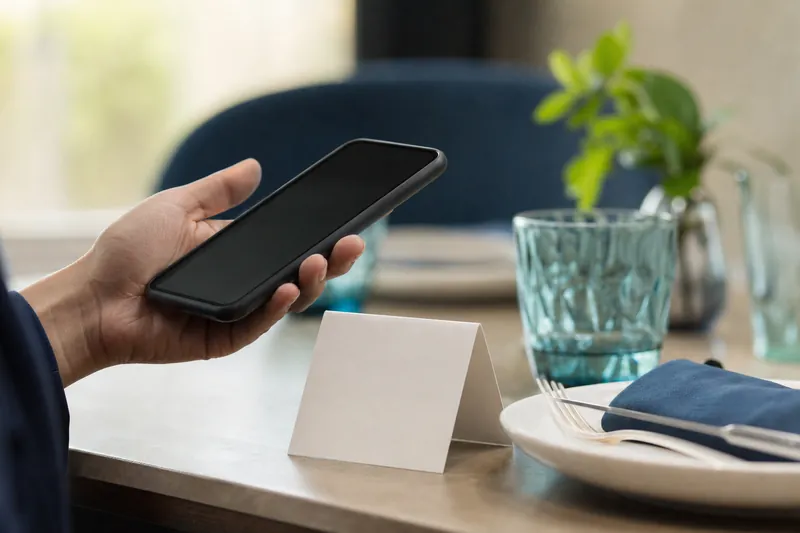
The menu opens on a page that fits the phone. Top-level categories are collapsed, and a tap opens the subcategories and dishes. A tap on a dish opens its details: description, prices and labels. A language switcher with flags sits at the top, and every language has its own web address. The footer shows your name, address and phone number. See the demo menu for an example.
Guests do not install anything or create an account. They scan, read and close the page. If they want to read the menu again later or show it to a friend, the link works like any other web address. The menu page loads in the browser, so it works on any phone with a camera and a web browser.
What goes into your menu
- Categories and subcategories, such as Starters, Mains, Desserts and Drinks.
- Dishes with a name, a short description and a price.
- Several prices per dish, each with a label, such as "Glass" and "Bottle".
- Allergens, additives and characteristics such as vegan or halal.
- An active switch on every category and dish, so you can hide what is sold out.
Languages and labels
Guests read the menu in the language they choose. The menu title, dish names, descriptions and price labels are translated, and the amounts stay as you entered them. Allergen and dietary labels are translated too. Every dish has switches to keep a name untranslated. How many extra languages you can add depends on your plan.
Printing and placing the QR code

The dashboard shows your menu link and its QR code, and creates a PDF in the size you choose, in centimeters, with several copies per sheet. The default size is 7.5 cm. Print the cards, test each code with two phones, and put one on every table, one at the counter and one at the entrance. Keep a few paper menus for guests who prefer them.
Place the codes where guests already look: on the table, at the counter and at the entrance. Check them from time to time. A card that is bent, stained or hidden behind a candle will not scan, and a guest who cannot scan asks for a paper menu. Replacing a worn card is quick, so do it before it fails.
A QR code menu for your type of place
- Cafes and coffee shops: daily cakes, sizes and allergen labels.
- Bars: cocktails, sizes and labels for drinks.
- Hotels: several outlets and guests from many countries.
- Contactless menus in general.
Cost, trial and next steps
You start with a free trial and no commitment, then choose a plan. The guide to digital menu cost explains what you pay for, and QR code menu ROI shows how to check it for your place. Before you print, read the best practices and the pros and cons. If you wonder where the menu lives, see where to host a QR code menu.
Common questions
Do guests need an app?
No. The phone camera opens the menu in the browser.
Do I have to reprint the QR code when the menu changes?
No. The code points to the menu page, so a changed price or a new dish shows up without reprinting.
Can guests order through the menu?
The menu shows dishes, prices and details. Orders are taken by your staff as usual.
How many menus can I have?
One menu per account, with as many categories and dishes as your plan allows.
Can I try it before I pay?
Yes. Start with a free trial and build your menu first.
Create your restaurant QR code menu with MenuHatch
Build your menu, add your languages and print the QR code. Start with a free trial, no commitment.
Start free trial See pricing