Multilingual Restaurant Menu
Updated October 27, 2026
A multilingual restaurant menu lets every guest read your dishes in their own language. With a QR code menu you keep one menu, add the languages you need, and let AI do the translation.
Why offer your menu in more than one language
- Tourists and expats order with confidence. Guests who can read what is in a dish order more, and ask less.
- Fewer misunderstandings about ingredients. Allergens and dietary notes are only useful if the guest can read them.
- Your staff answers fewer questions. The menu explains the dish, so the waiter does not have to.
- You look professional. A menu in the guest's language shows that you expect visitors from abroad.
Two ways to build a multilingual menu
Printed menus in several languages. Every language is a separate card or booklet. Every price change, new dish or sold-out item means reprinting every version, and the languages drift apart over time.
One digital menu with a language switch. Guests scan a QR code, the menu opens on their phone, and they choose their language. You edit the menu once and every language follows. This is the approach this page is about.
How a multilingual QR code menu works with MenuHatch
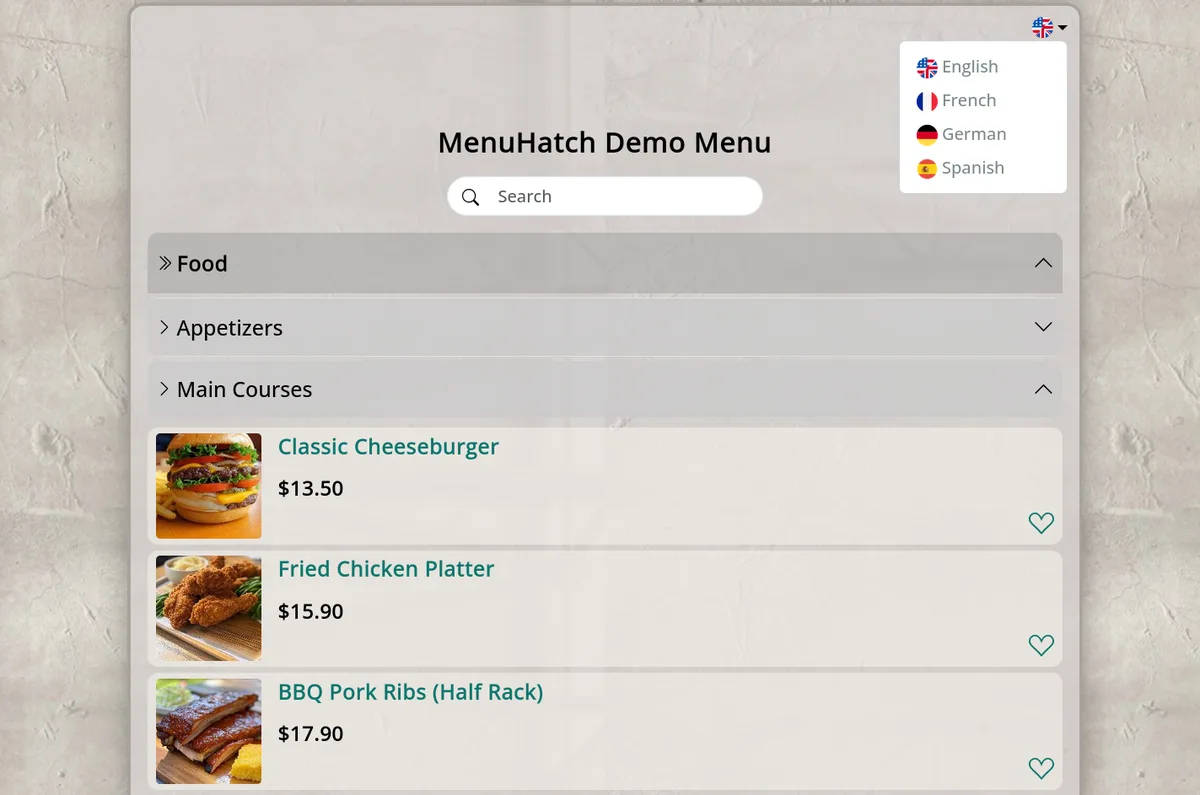
- Build your menu once in your own language: categories, dishes, descriptions, prices and, if you like, photos.
- Add the languages you want. MenuHatch offers 20: Bulgarian, Chinese, Danish, Dutch, English, Finnish, French, German, Greek, Hungarian, Italian, Norwegian, Polish, Portuguese, Romanian, Russian, Serbian, Spanish, Thai and Turkish. How many extra languages you can add depends on your plan.
- AI translates the menu. Titles, descriptions and prices are translated for you, so you do not need a translator for every dish.
- Guests pick their language. The menu has a language switcher with flags, and every language has its own web address, so a guest can also share the menu in their language.
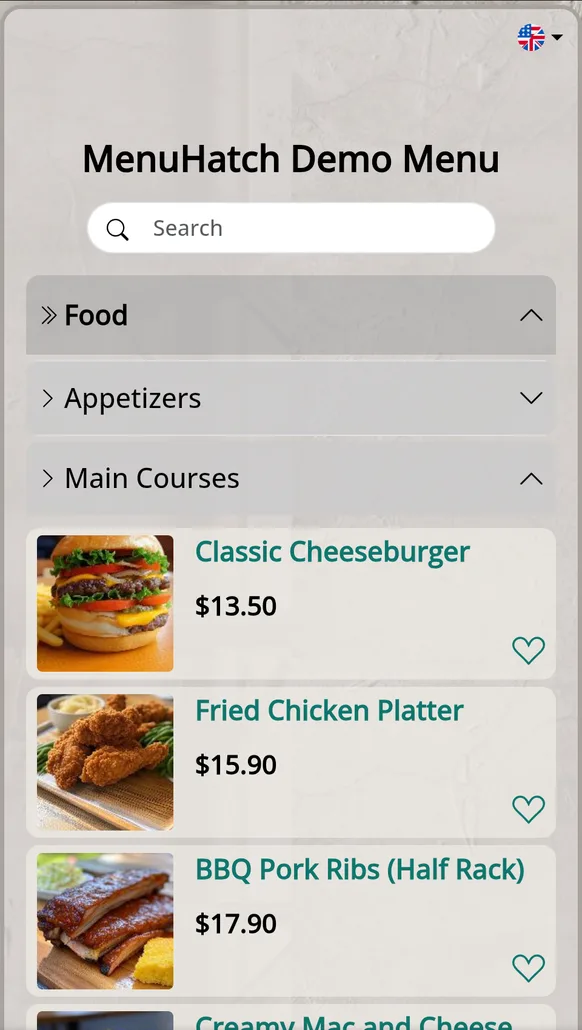
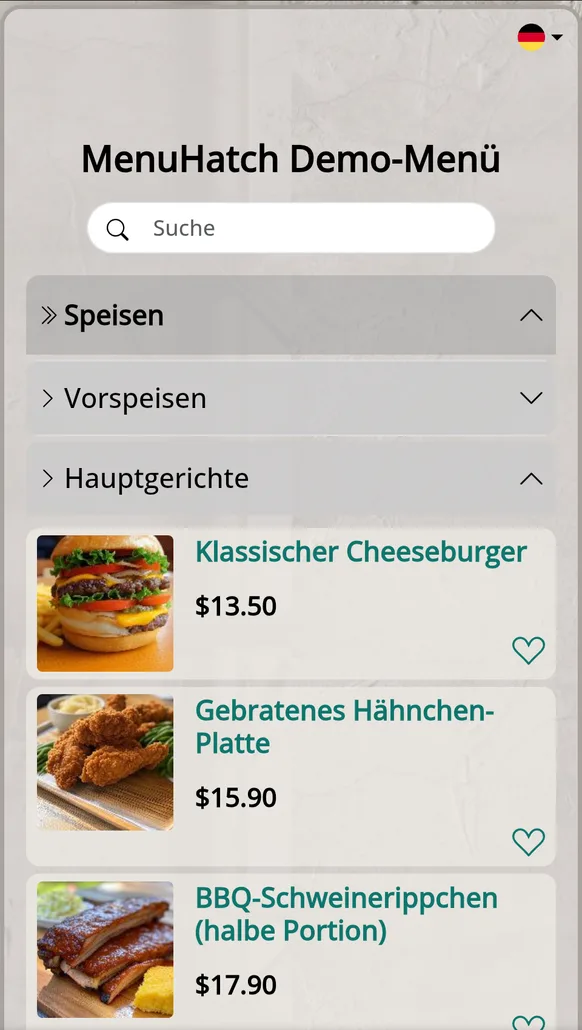
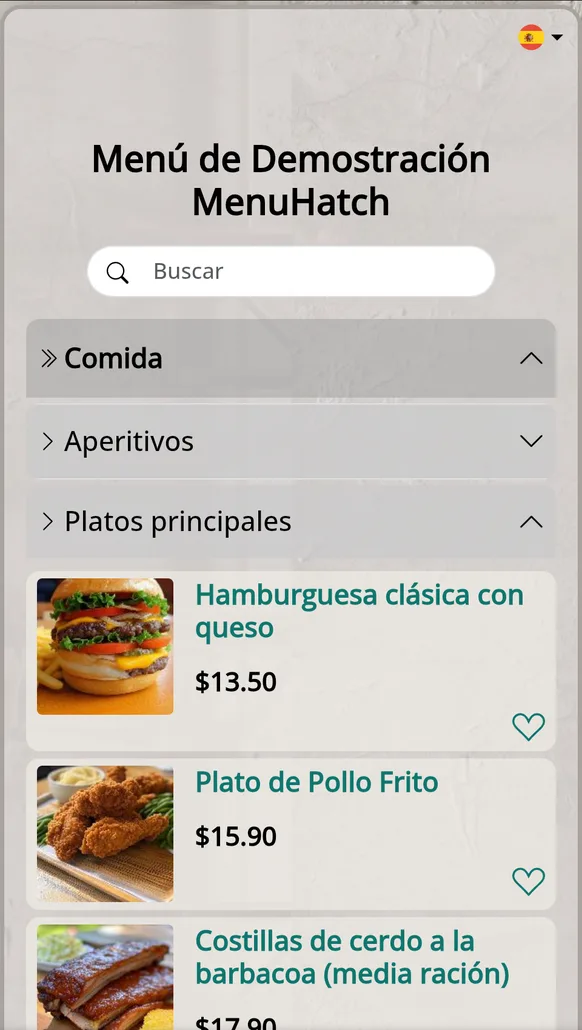
On a phone: the same menu in English, German and Spanish. Category names, dish names, descriptions and allergens are translated.
You can try it yourself on the demo menu.
You decide how translation runs
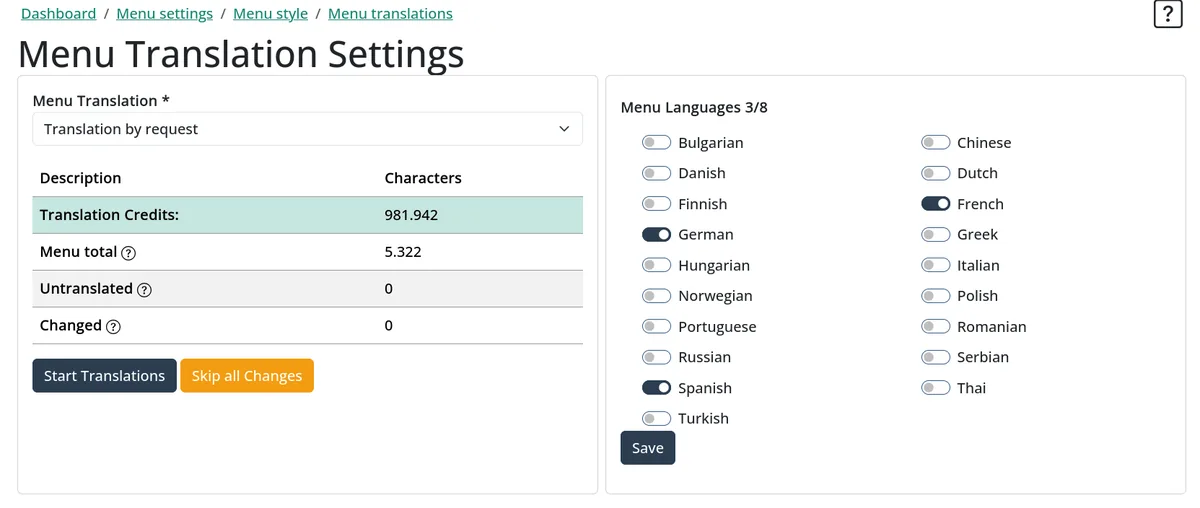
For each menu you choose one of three modes:
- Automatic translation: new and changed dishes are queued for translation as you edit.
- Translation by request: nothing is translated until you start it, so you control when translation credits are used.
- Translations off: the menu stays in one language.
When you change a dish, the whole dish is translated again, so the languages stay in sync. Translation uses credits based on the number of characters in your menu. The translation settings page shows the total, the untranslated part and the changed part of your menu, so you can see how much is still waiting to be translated.
Which languages should you offer?
Do not add every language. Start with the ones your guests actually speak:
- Look at where your guests come from: hotel bookings, reviews, and the languages you already hear at the tables.
- Add the language of your biggest group of visitors first, then the next one.
- Keep your own language and English as a base. Most visitors can read English even if it is not their first language.
Tips for a menu that translates well
- Keep descriptions short and plain. Slang, puns and house nicknames for dishes are the first things to get lost in translation.
- Describe the dish, not only its name. A guest who does not know "Currywurst" or "Souvlaki" should still understand what arrives on the plate.
- Use the same structure everywhere. The same categories and the same order in every language help guests find their way.
- Select allergens from the list instead of writing them into the description, so every guest finds them in the same place.
- Scan your own QR code in another language and read the menu the way a guest would.
Common questions
Do I need a separate menu for each language?
No. You keep one menu. The languages are versions of the same menu, so a price change is made once.
Does the QR code change for each language?
No. One QR code opens the menu, and the guest chooses the language on the menu page.
What happens when I change a dish?
The changed dish is translated again in every active language, so the versions do not drift apart.
Can I turn translations off again?
Yes. Be aware that turning translations off deletes the existing translations, and turning them on again means translating the items again.
Try a multilingual QR menu for your restaurant
Build your menu, add your languages and let your guests read it in their own. Start with a free trial, no commitment.
Start free trial See pricing